Features

Everything your team writes, in your voice.

One place for the writing your business actually ships. Every feature below runs on your trained voice, your rules, and your company knowledge, automatically.

Voice training

It writes like you because it learned from you.

Upload real emails, writing samples, your house style rules, and your company and product knowledge. Write85 learns the rhythm and phrasing of your actual writing, keeps your facts on hand, and applies your rules to every piece. Unlike tools that treat every file the same, it knows the difference between voice, rules, and knowledge, and routes each to the right task: email samples shape emails, writing samples shape articles. Update the training once and every writer on the team gets the change instantly. Two more training kinds round it out: background knowledge that informs the writing without ever appearing in it, and your brand's visual identity for images. Every training section has a short built-in guide, so nothing needs a manual.

Email samples Writing samples House rules Company knowledge Background knowledge Visual identity
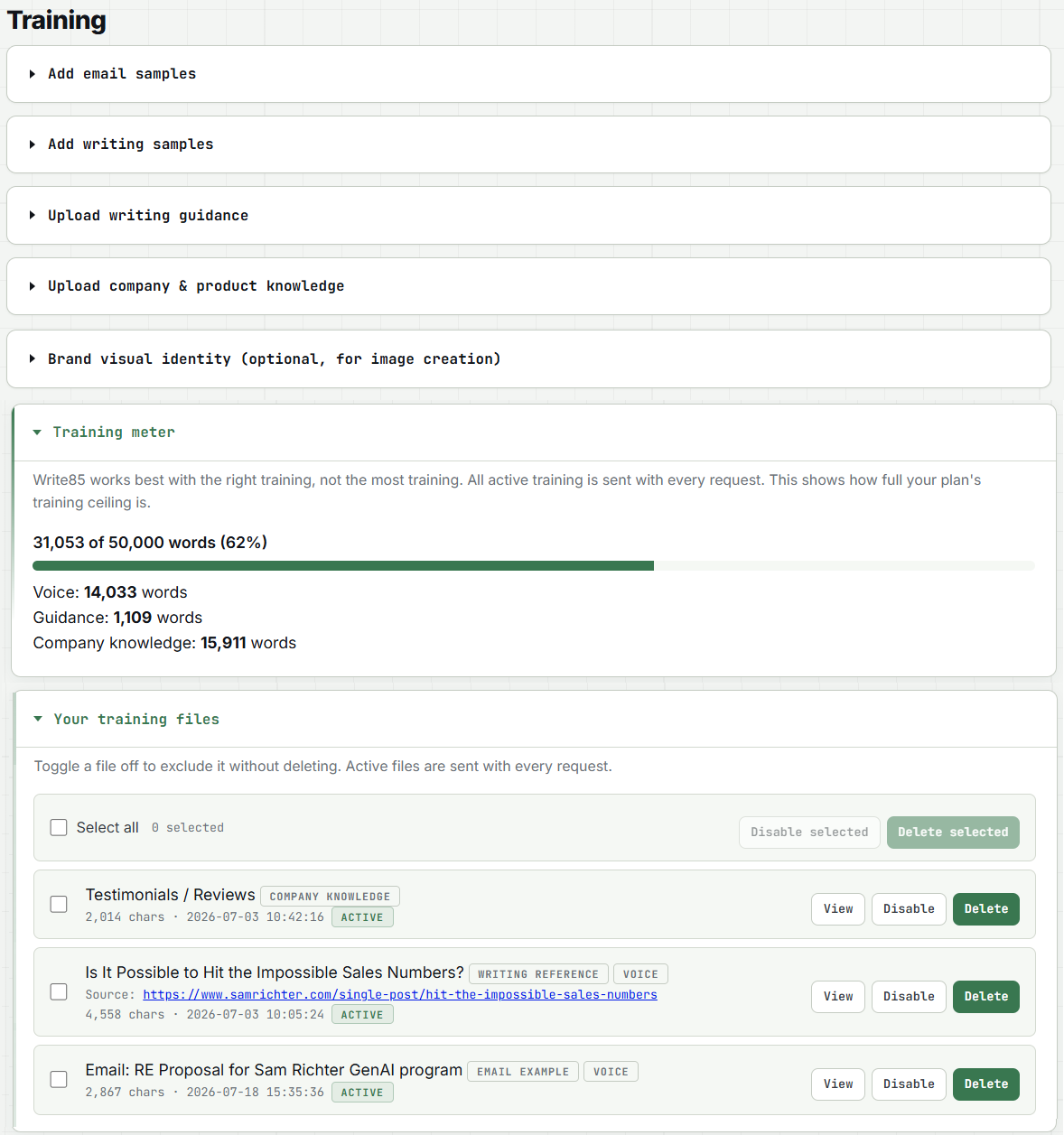
write85.com · Training
Write85 Training tab with uploaded files and the training words meter
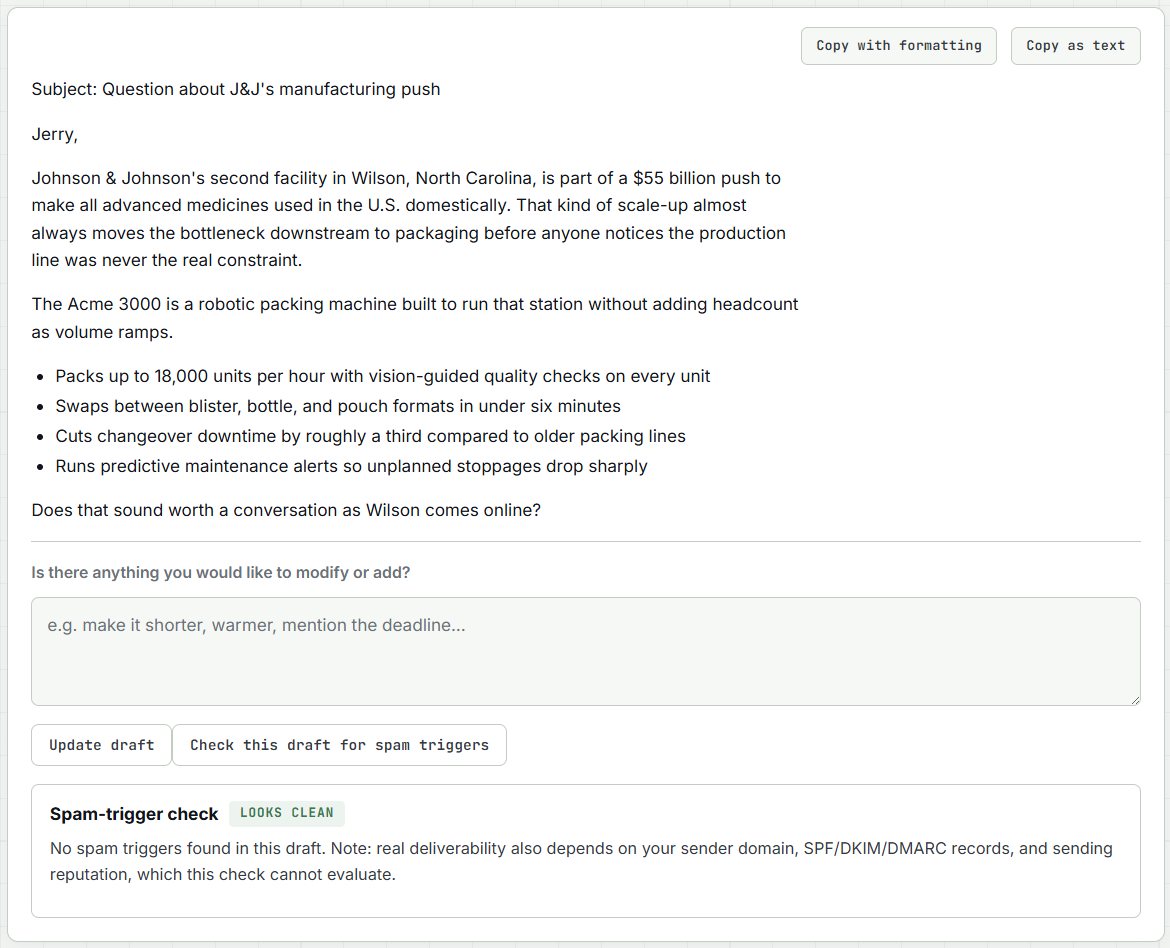
write85.com · Sales Email
Write85 sales email with spam-trigger check verdict Looks Clean
Email that sounds like you

Replies, new emails, newsletters, and review responses.

Paste an email and get a reply in your voice. Ask for a new email or a sales email and get a finished draft with a strong subject line, plus a built-in deliverability check so your message lands in the inbox, not the spam folder. Build a full newsletter issue from two to four quick items, complete with a subject line and preview text. And when a customer posts a review or sends a complaint, paste it in and get a measured, on-brand reply ready to post, whether the review was glowing or rough.

Email reply New email Sales email Letters Spam check Newsletter Review responses
Social, done in one pass

One topic. Five platforms. Each post written for its platform.

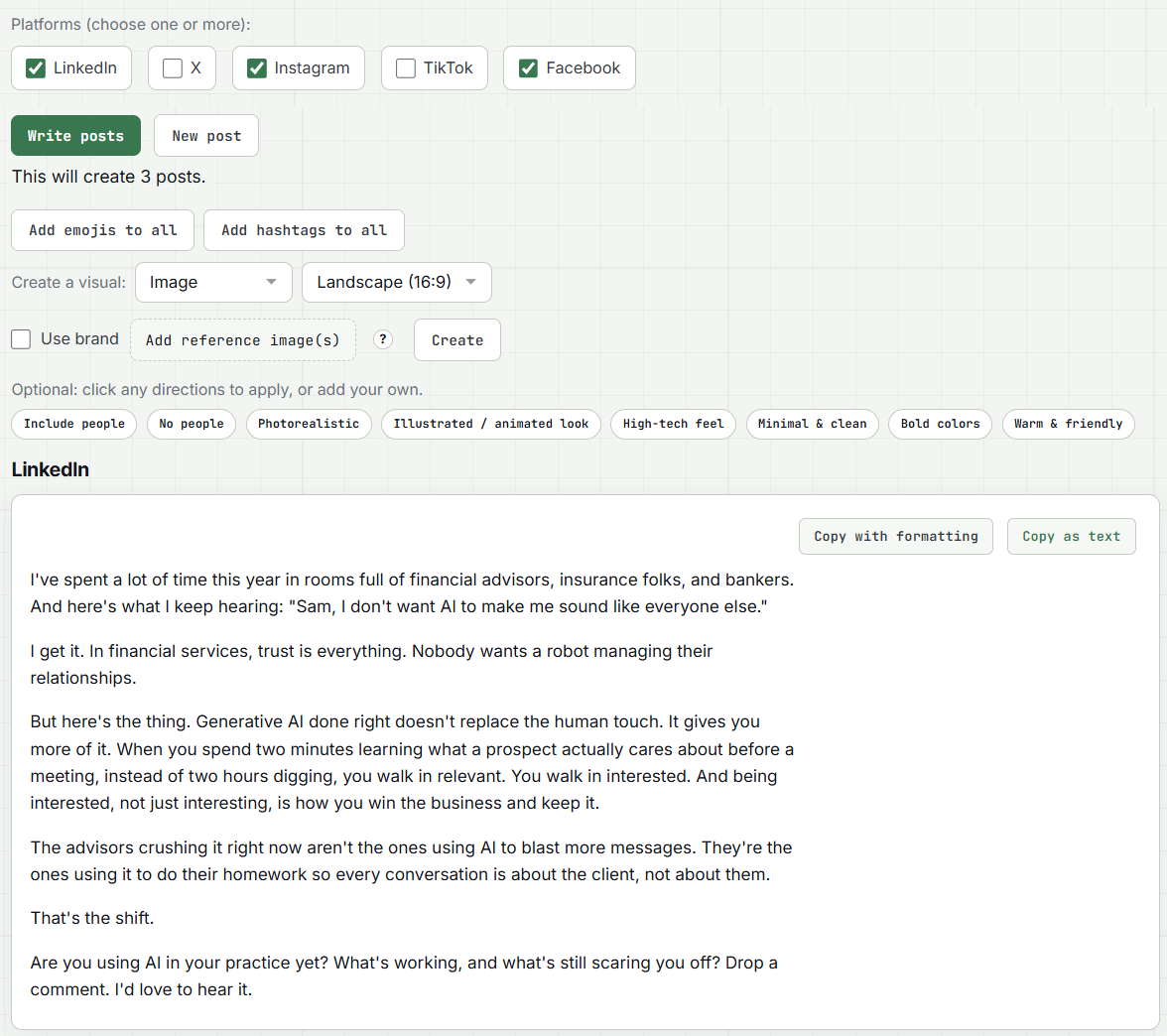
Enter your topic once and pick your platforms: LinkedIn, X, Instagram, TikTok, Facebook. Write85 writes each post to that platform's best practices, in your voice. Add emojis and hashtags to the whole batch in one click, create a matching image, infographic, or listicle graphic, or generate a LinkedIn-style PDF carousel with a branded cover. One asset becomes many: the same article can turn into posts, a carousel, an infographic, and a follow-up email.

LinkedIn X Instagram TikTok Facebook PDF carousel One-click visuals
write85.com · Social Post
Write85 social post panel creating three platform posts from one topic
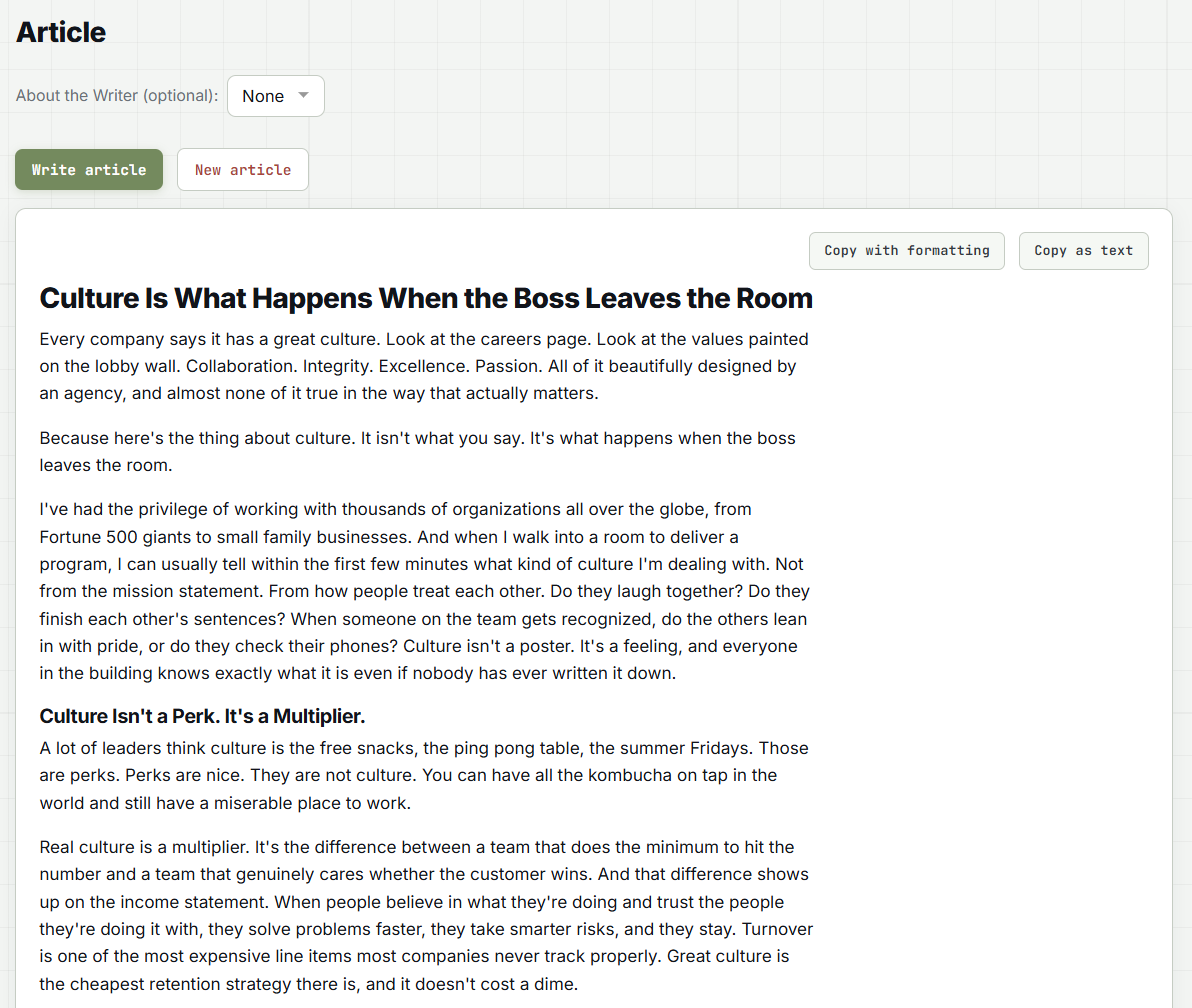
write85.com · Article
A finished Write85 article with headline and subheads
Long-form and business documents

Articles, proposals, case studies, and the copy on your website.

Blogs, articles, proposals, press releases, video scripts, digital and print ads. Now case studies too: Write85 interviews you about a client win, then turns your answers into a results-led story with nothing invented. And website copy: pick the page type, from About page to landing page, and get publish-ready copy with the meta title and description included. Attach files or links as source material, answer a couple of smart clarifying questions if you want, and everything, tables included, pastes into Outlook, Gmail, Word, and your site builder with formatting intact. There is even Rewrite in My Voice: paste anything, or point at a page, and get it back sounding like you. Add an About the Writer bio to articles, blogs, and rewrites with one click.

Articles & blogs Proposals Press releases Case studies Website copy Ad copy Video scripts Rewrite in my voice Author bios
Sponsored articles

An article about your company, written the way a reporter would.

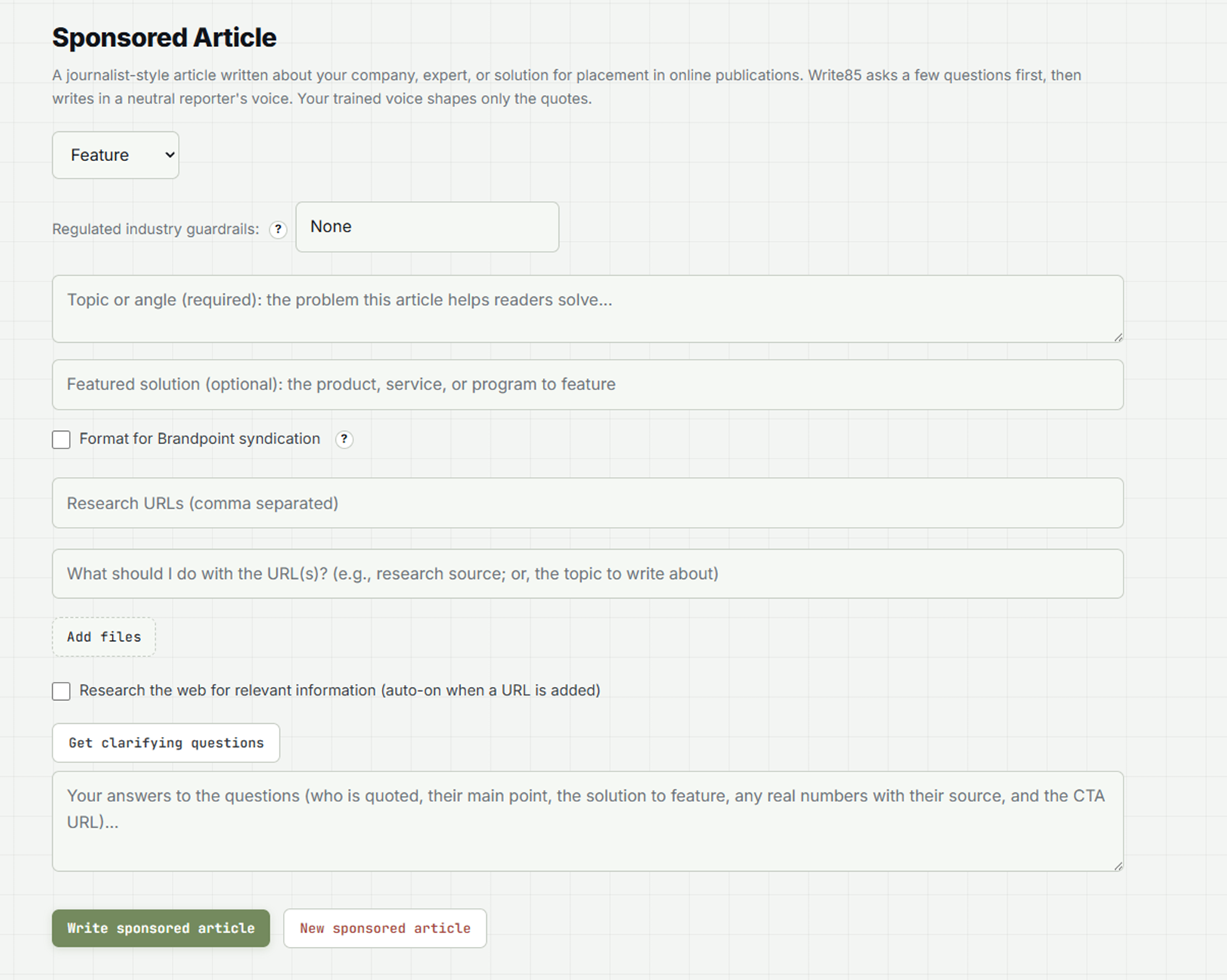
Every other mode writes as you. This one writes about you: a third-party article about your company, expert, or solution, written to syndication standards and ready for the placements that search engines and AI assistants cite. Pick the article type: feature, bylined, listicle, or advocacy. Answer five questions: who is quoted, the point they make, what to feature, the real numbers, and the link. Your trained voice appears only inside the quotation marks, and every quote arrives marked as a draft for the quoted person to approve. Working in pharma, healthcare, banking, or insurance? Choose the industry and the draft steers clear of the claims those industries cannot make, leaving clear placeholders for the disclosures your reviewers add. If you syndicate through Brandpoint, one checkbox formats the piece to their guide, sized for standard online, Business Journals, USA Today, or print placement.

Feature Bylined Listicle Advocacy Draft-marked quotes Brandpoint formatting
write85.com · Sponsored Article
Write85 Sponsored Article panel with article type, industry guardrails, and Brandpoint formatting options
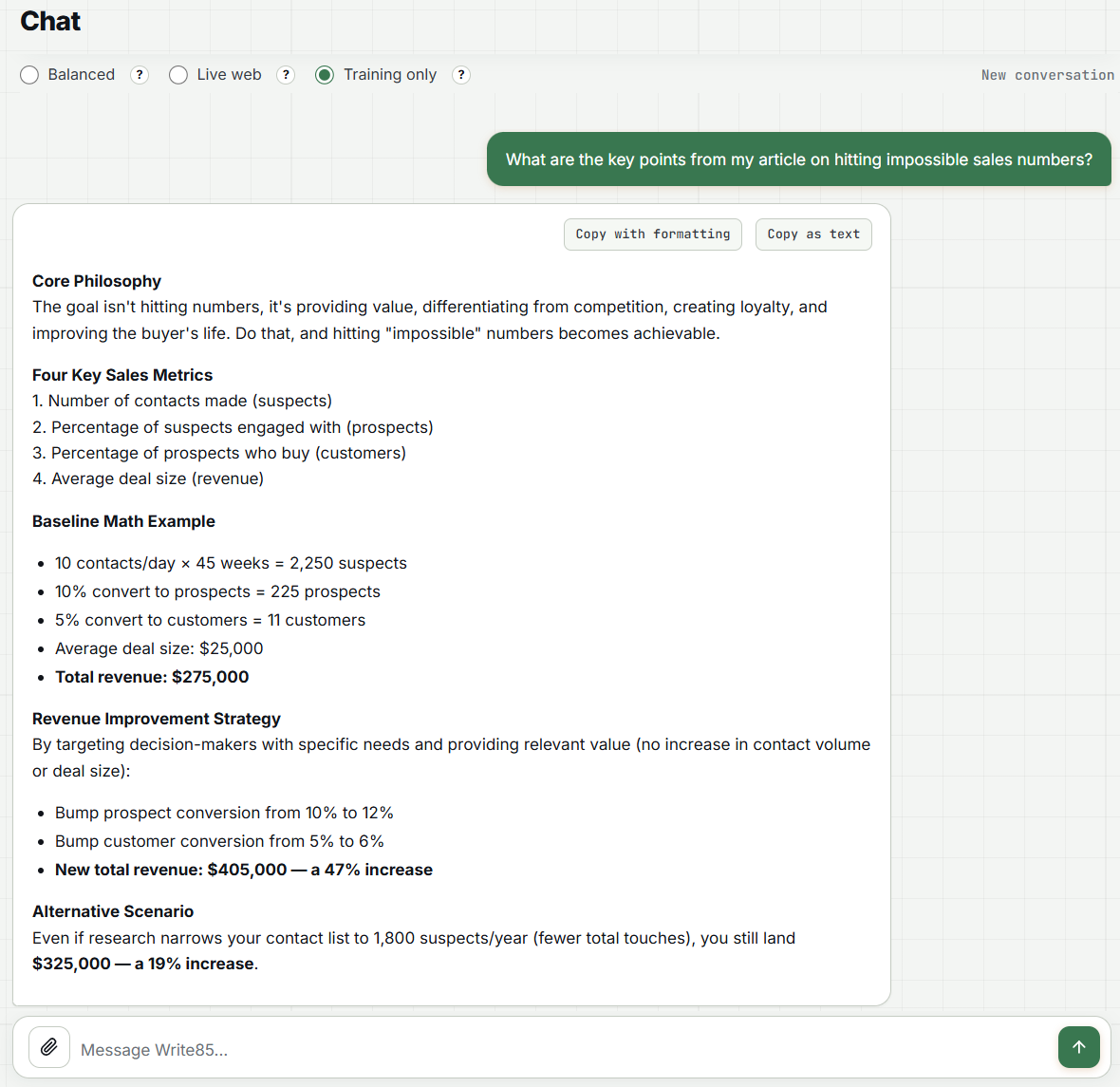
write85.com · Chat
Write85 chat answering from company knowledge, with the source of the answer labeled
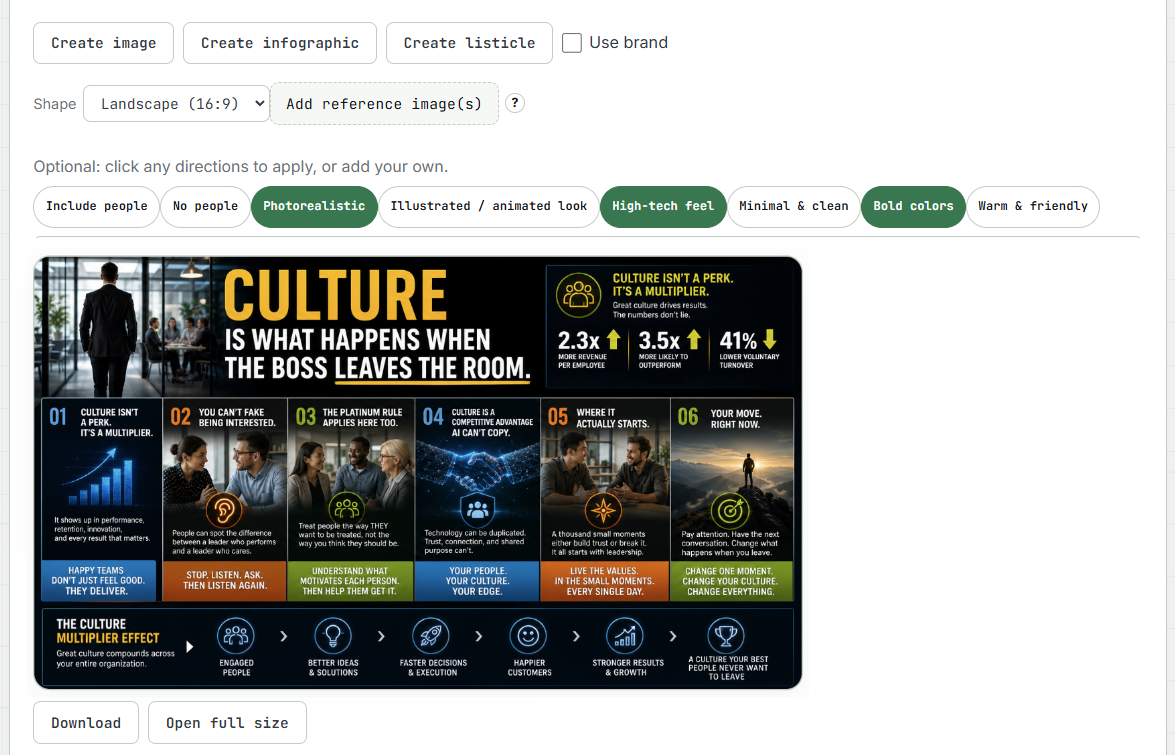
write85.com · Create infographic
An infographic created by Write85 from a company article
Chat and visuals

A chat that knows your business, and shows where every answer comes from.

Chat with an assistant that already knows your company, your products, and your voice. It starts from your trained voice, writing rules, and company knowledge. Turn on Live web when you want current information; web facts come with their sources listed. Either way, every answer is labeled with where it came from: your materials, the live web, or general AI knowledge, so no one mistakes a guess for a company fact. When a chat turns into a writing job, one click hands it to the right writing mode with the context carried over. Then create images for posts, articles, and ads guided by your brand's visual identity, with reference images and one-click direction chips.

Company knowledge Live web Source labels Brand-guided images File attachments
Team governance

You decide who writes what. The brand stays protected.

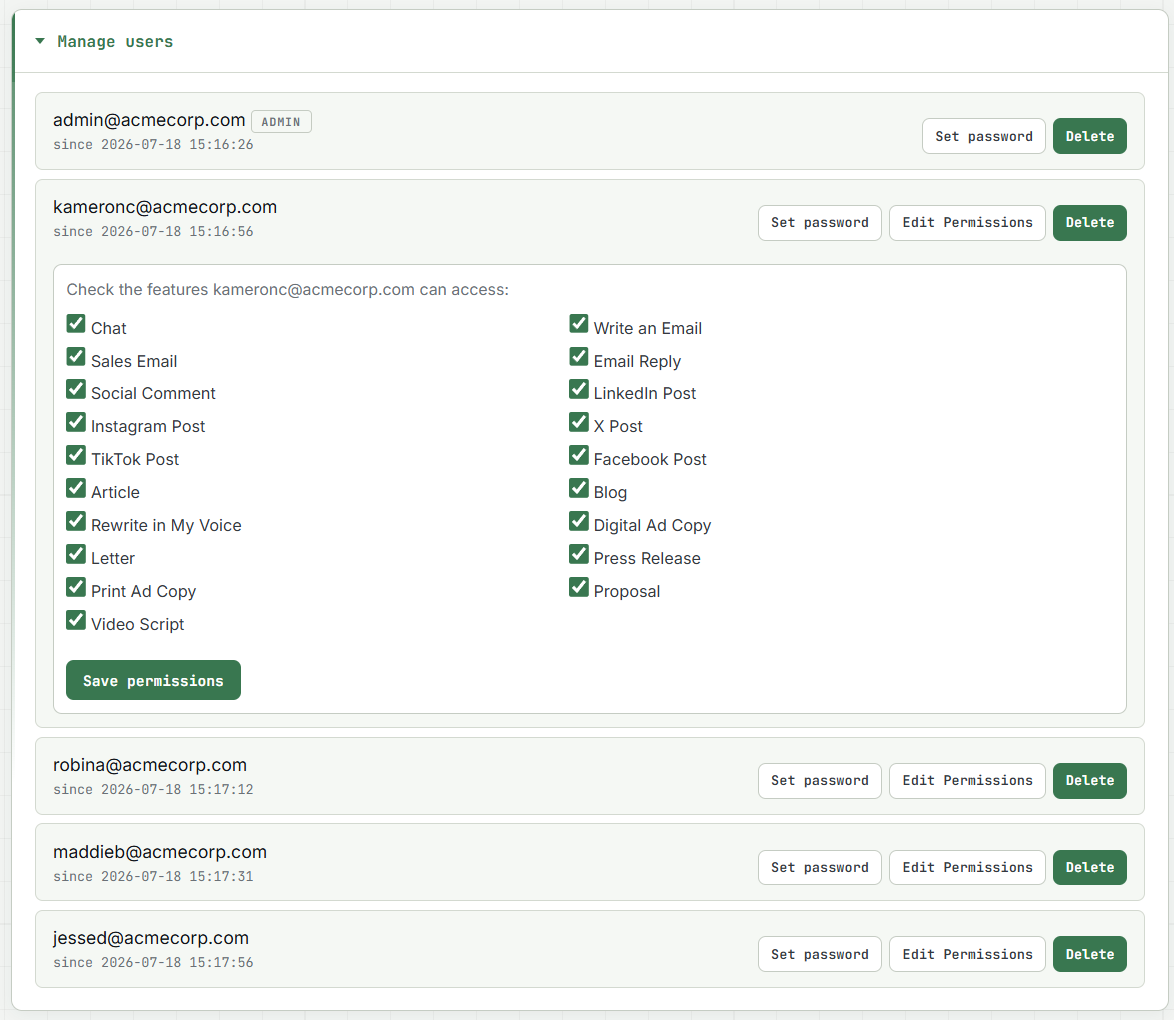
Add and remove team members in seconds. Set per-person permissions by feature, so the sales team writes sales emails and the marketing team runs social, all from the same trained voice. See team usage at a glance, and watch your monthly word allowance refill every cycle.

Per-person permissions Team usage view One shared voice Monthly words meter
write85.com · Account
Write85 team management showing per-user feature permissions
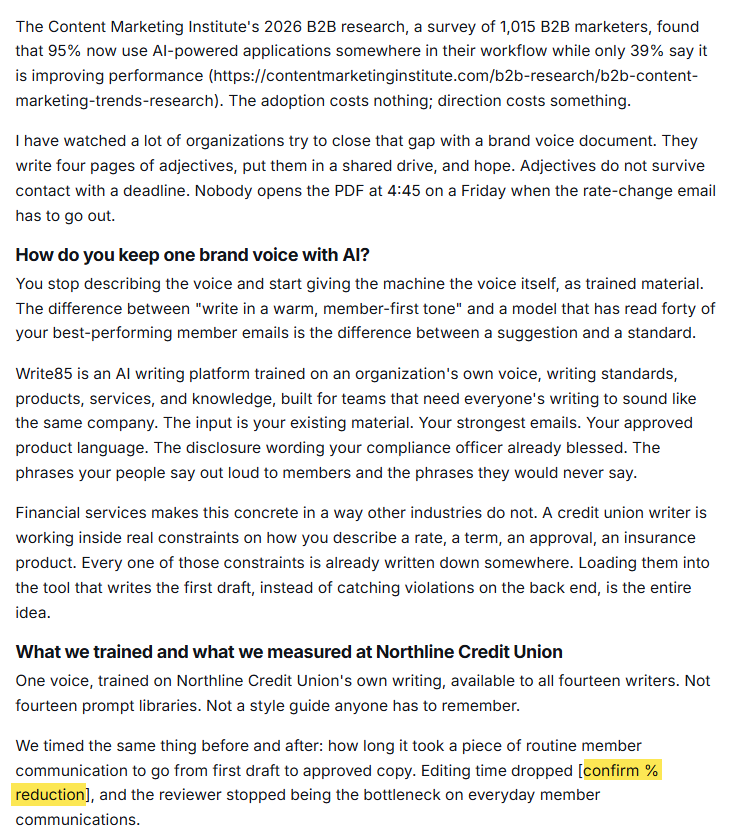
write85.com · Article
A Write85 article with an inline source URL and a bracketed placeholder where a fact is missing
Research and facts

It checks its facts, and tells you when it has none.

Any writing mode can research the live web before it drafts. Turn it on, or paste a link, and Write85 pulls from primary sources published in the last 90 days, keeps each URL inline right after the fact it supports, and leaves out any claim it cannot source. Paste the link of the person or company you are writing to, and it checks the finished draft against their own site, so it never writes about a same-named stranger. What it will not do is fill gaps with plausible invention. Sponsored-article quotes arrive wrapped as drafts for the quoted person to approve. Product details, prices, and claims in ads, press releases, sponsored articles, and website copy come from your company knowledge or your brief, never estimated. When a fact is missing, the draft marks the gap with a bracketed placeholder, or a NEEDED line in case studies and sponsored articles, instead of guessing. Chat works the same way: every answer labeled with where it came from.

Live web research 90-day sources Inline URLs Recipient check Draft-marked quotes No invented facts
History and saved work

Everything you write is kept, and you decide for how long.

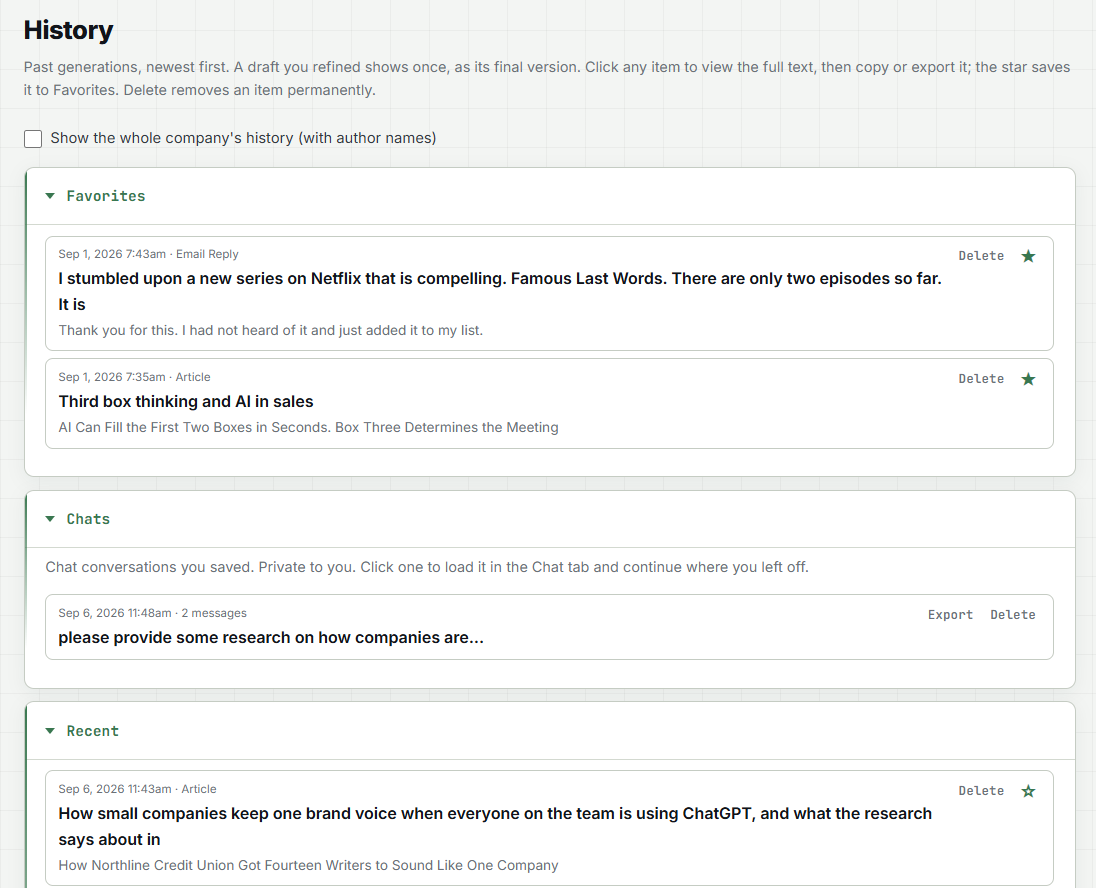
Every draft, image, and carousel lands in History automatically, sorted into Favorites, Recent, and All. Open any piece to view, copy, export, or star it. A refined draft shows once, as the final version, not as a trail of revisions. Admins see the whole company's writing with author names; everyone else sees their own. Chats can be saved, resumed later, and exported, and saved chats are always private to the person who saved them. Retention is yours to set: keep everything forever, or have unfavorited writing removed after 30, 60, or 90 days. Favorites stay until you delete them.

Favorites Company-wide view Export Saved chats Retention control
write85.com · History
Write85 History tab showing Favorites, Recent, and All with saved drafts and images

See it working in under five minutes.

Watch the demo, then pick a plan and put your team on-brand today.

Watch the demo See pricing